wePOS
Free point of sale plugin that turns a WooCommerce store into an in-store checkout counter, rebuilt as wePOS 2.0 with per-vendor POS for Dokan marketplaces.
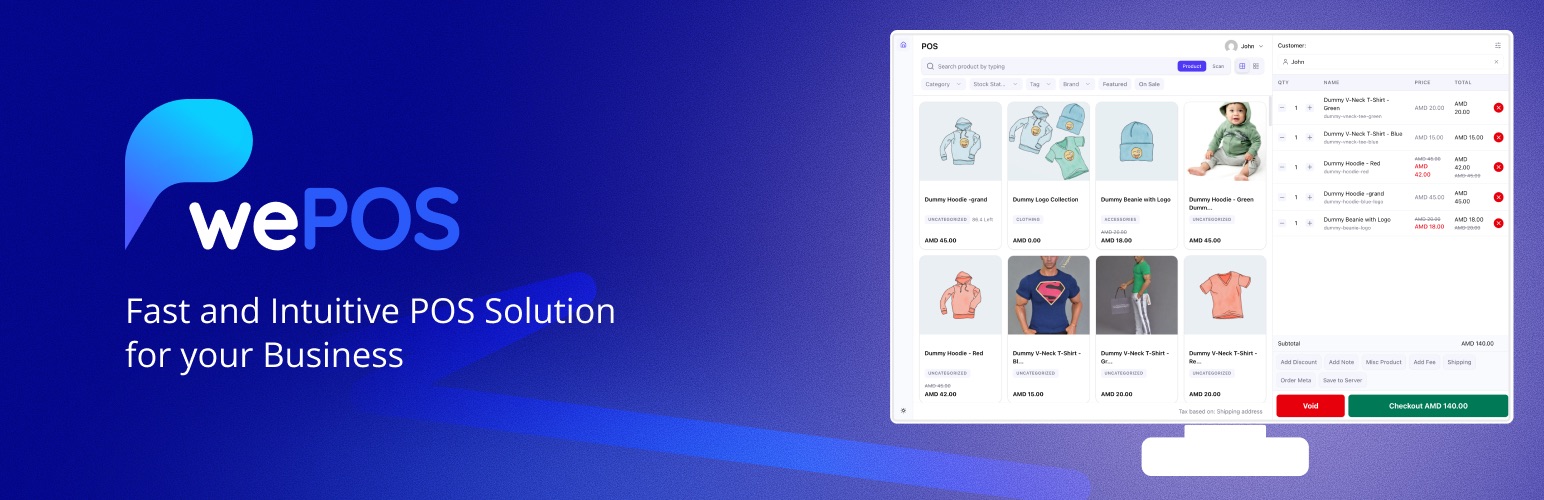 The wePOS listing banner after the 2.0 release. Source: WordPress.org
What it is
wePOS is a free point of sale plugin for WooCommerce, made by weDevs. It turns an online store into a checkout counter. A cashier opens one screen on a tablet or desktop, searches or scans products, takes payment and prints a receipt. Products, prices, stock, customers and orders stay in sync with WooCommerce, because they are the same data.
It serves small retailers, boutiques, grocery shops and multi-outlet businesses that already sell online and also sell in person. The problem it solves is simple. Without a POS that talks to the store, in-store sales live in a separate till. Stock drifts, and the owner reconciles two systems by hand. wePOS keeps one source of truth: a sale at the counter is a WooCommerce order, and stock moves the moment it happens.
The core flow is built for speed at a busy counter. The cashier screen is a single-page app, so nothing reloads between sales. The cashier finds a product by typing or with a barcode scanner, adds it to the cart, picks or creates a customer, applies a discount or a fee, and takes payment. For cash, the screen works out the change due. The receipt prints from the same screen. Owners can set up several outlets, each with its own cashiers, from one WordPress site.
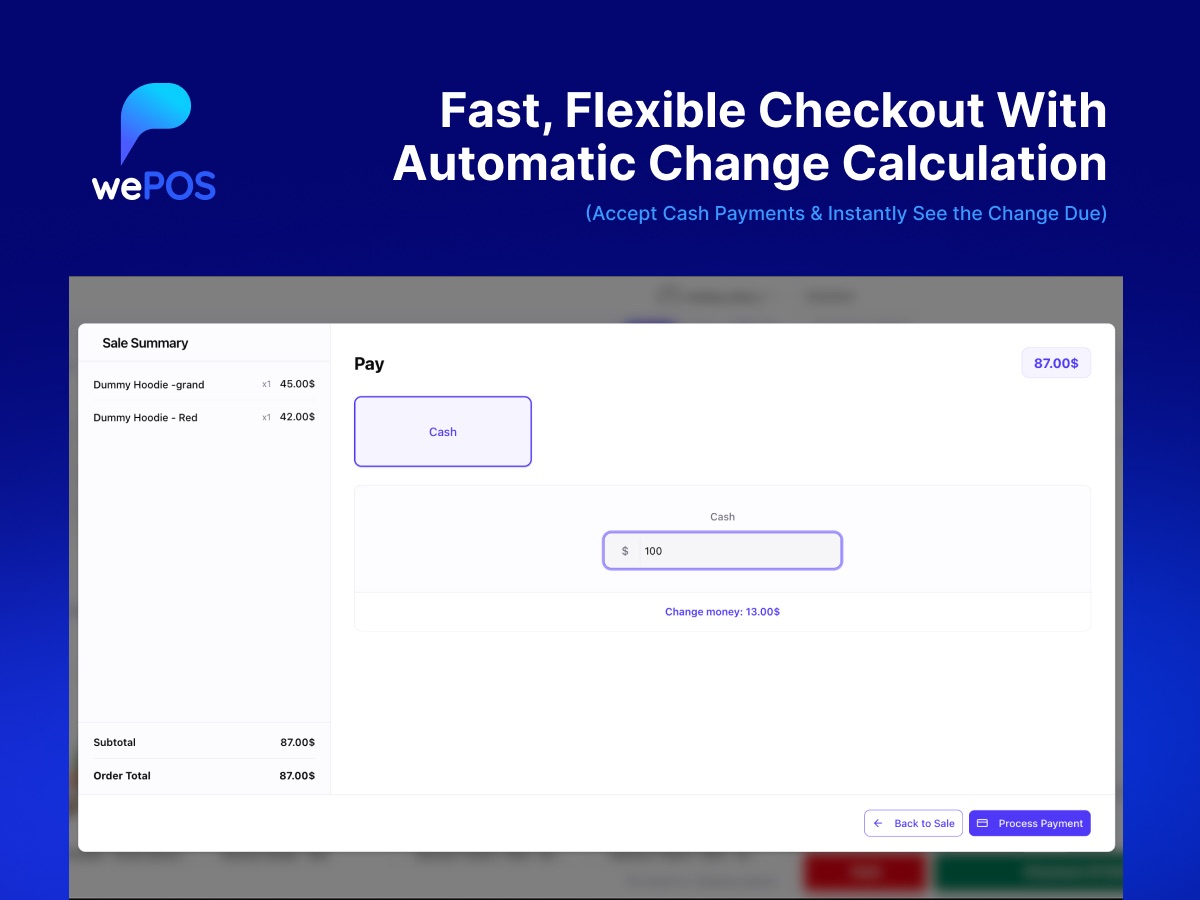 Checkout in wePOS 2.0: enter the cash received and the change due is calculated for you. Source: WordPress.org
The free plugin has been on WordPress.org since February 2019. wePOS Pro adds an advanced reports dashboard, saved carts that continue across devices, receipt customisation, low stock alerts, CSV export of orders, quick product editing and finer control over what each cashier can see and do.
Industry
Online and offline retail have merged. Shoppers expect the stock they see online to be on the shelf. Small shops feel this most. They cannot afford an enterprise retail suite, and they do not want to pay for a separate POS subscription that has to be synced with their website.
WooCommerce is a natural home for these businesses, and its POS category is crowded. FooSales, Oliver POS, YITH POS and the open source WooCommerce POS plugin all compete for the same store owners. Most charge a subscription, and almost all are built for a single seller: one store, one owner, one set of products.
Marketplaces are different. On a multivendor marketplace built with Dokan, many independent vendors sell through one site. Some of those vendors also run physical shops. They need a counter of their own, with only their own products and orders, while the marketplace owner keeps overall control. Very few WooCommerce POS plugins serve that case. That gap became wePOS’s position, and its natural link to Dokan, weDevs’ own marketplace plugin, made it a strong one.
What happened
I took over wePOS as Product Manager in January 2025. It was a stable product with a steady user base, about 2,000 active installs, and a cashier interface built in Vue 2 that had aged. Small fixes kept it working, but three problems held it back. The cashier experience felt dated next to newer competitors. Its styling often clashed with themes and other plugins, so the screen could break on a store owner’s site through no fault of their own. And it had no real answer for marketplaces, even though it sat next to Dokan.
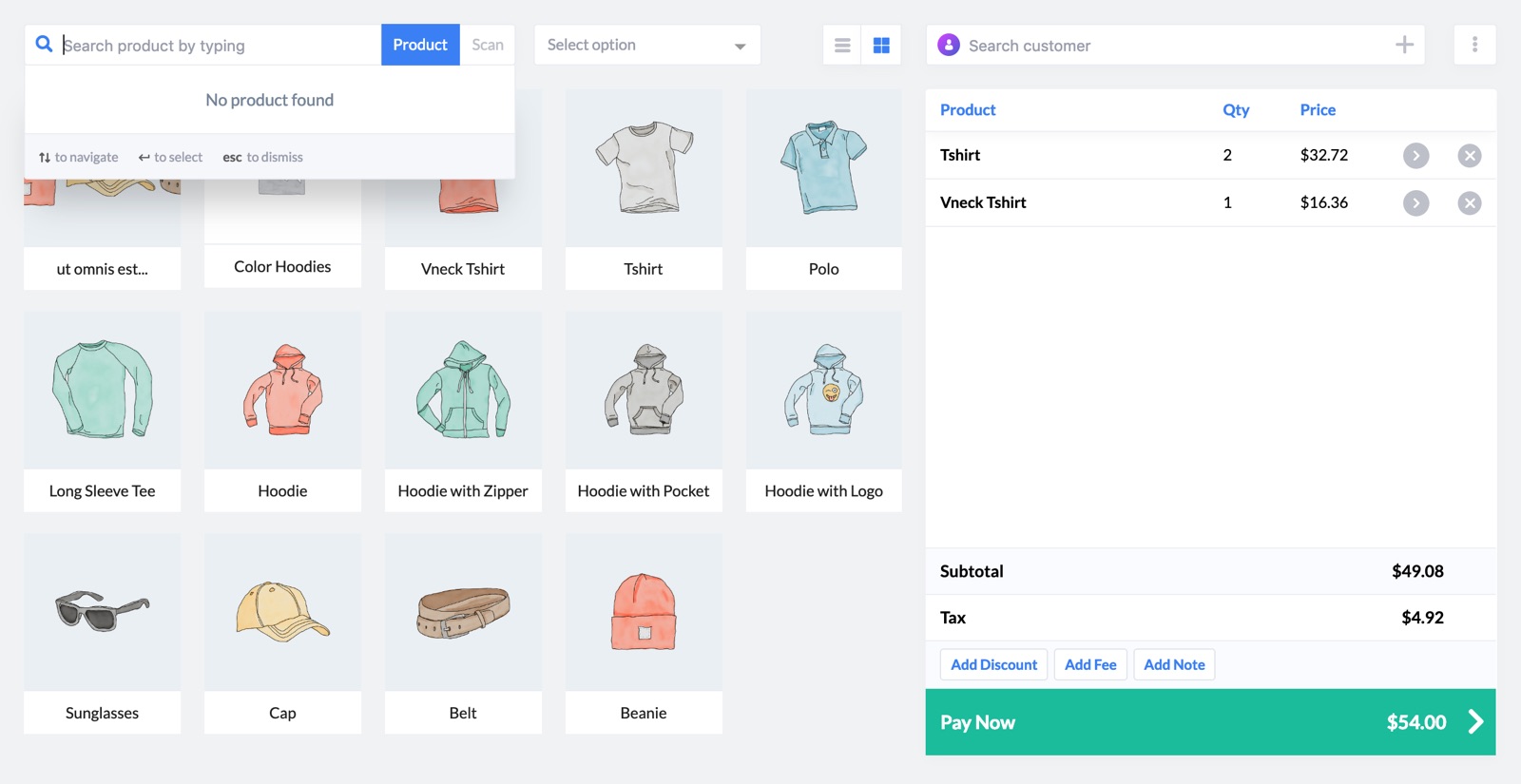 The legacy Vue 2 cashier screen, as shown on the WordPress.org listing in October 2025. Source: WordPress.org
- Keeping the base healthy (Jan to Sep 2025). Four releases shipped in 2025. Version 1.3.0 (January) brought WordPress 6.7 compatibility and closed a discount coupon access issue. Version 1.3.1 (June) added card payment refunds, support for WooCommerce High Performance Order Storage, prices on the product grid and a faster customer form. Versions 1.3.2 and 1.3.3 (September) fixed the order of product search results and error alerts, and added new hooks so extensions could add their own interface elements.
- Deciding to rebuild (mid 2025). Patching the old interface would not fix the root problems, so we committed to a full rebuild. The React migration began in June 2025 and ran through the rest of the year.
- wePOS 2.0 (released April 2026). The rebuild shipped as 2.0 on 27 April 2026, a few months after my time on the product ended. The whole cashier screen and the admin settings were rebuilt with a cleaner design and Light, Dark and System display modes. wePOS now keeps its styling separate from the theme and other plugins, so the screen no longer breaks when something else loads conflicting CSS. Smaller details target daily use at the counter: a confirmation before voiding a cart, arrow keys to pick a customer, phone number and company shown in customer search, and products sold in fractional quantities, such as 1.5 kg.
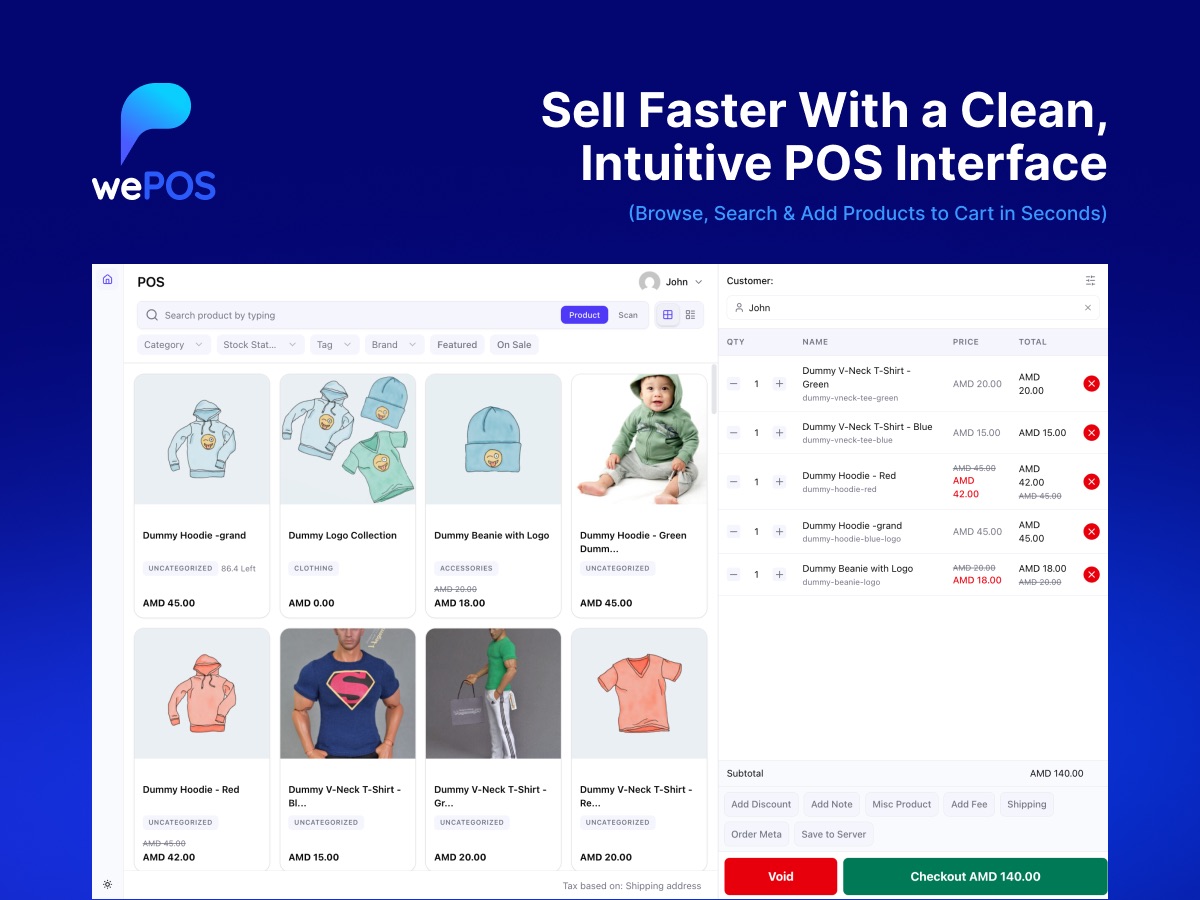 The rebuilt cashier screen in wePOS 2.0. Source: WordPress.org
- POS for marketplaces. 2.0 made wePOS work with Dokan. Each vendor gets their own POS with only their own products, customers and orders, and never sees another vendor’s data. Vendor staff get the right access from their vendor automatically, with no roles to set one by one. Vendors can manage their own taxes, receipts, outlets and default customer. That turned wePOS from a single-store tool into a POS for multivendor marketplaces.
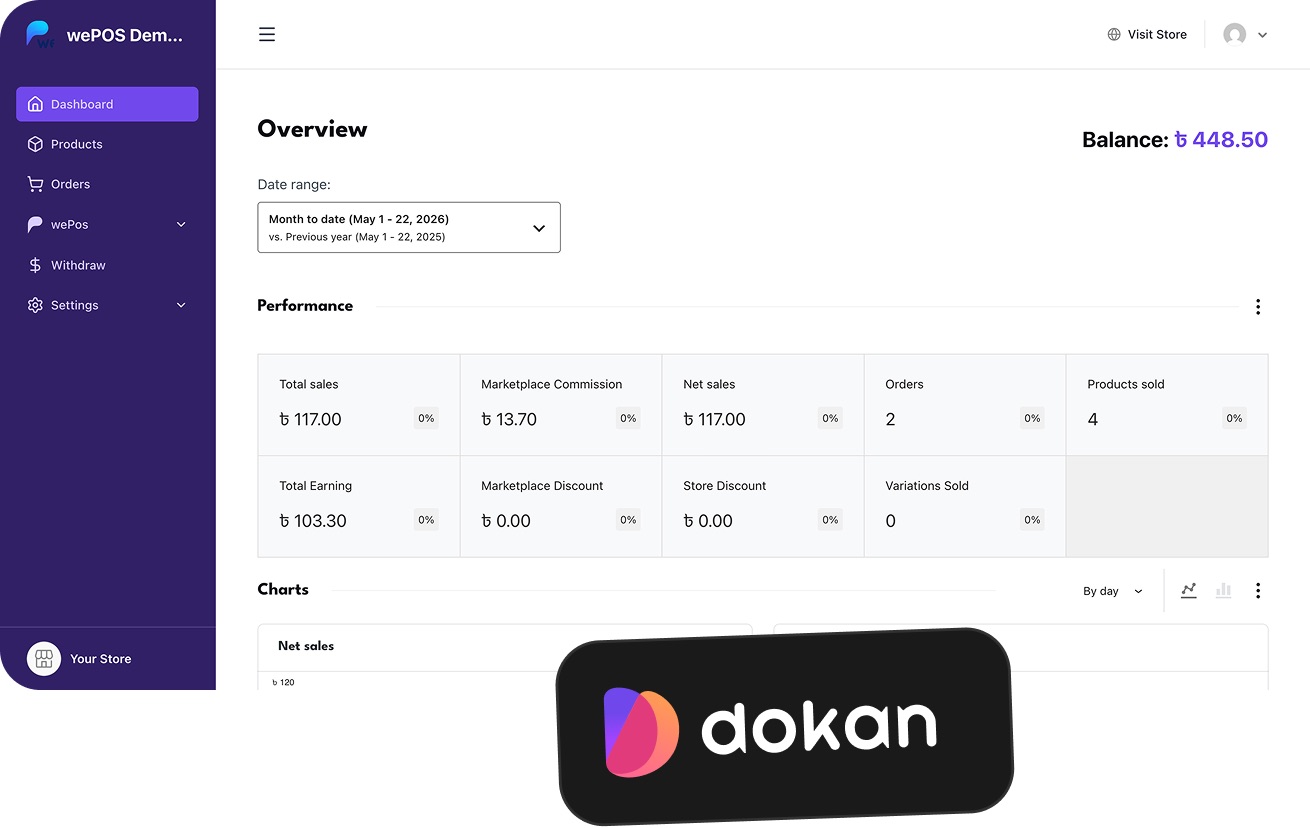 A Dokan vendor dashboard with wePOS in the vendor’s own menu. Source: dokan.co
Impact
- 4 releases in 2025 (1.3.0 to 1.3.3), with 15 pull requests merged during the year.
- 2,000+ active installs on WordPress.org held through 2025 (March and October 2025 snapshots) while the rebuild was under way.
- A rebuild started inside my tenure: the React migration began on 1 June 2025 and shipped as wePOS 2.0 on 27 April 2026.
- A new market: with 2.0, wePOS became a POS that serves every vendor in a Dokan marketplace, not just a single store owner. In September 2026 the plugin was renamed “wePOS, Point Of Sale (POS) for WooCommerce & Dokan” to reflect that.
Stack
- WordPress plugin in PHP (7.4+), built on WooCommerce and its REST API
- Single-page cashier app; legacy UI in Vue 2 with Vuex, kept as a fallback
- wePOS 2.0 UI in React 18 and TypeScript, built with
@wordpress/scripts - WordPress packages (
@wordpress/components,data,element,hooks) - Tailwind CSS 4 and weDevs’ shared Plugin UI library
- WooCommerce High Performance Order Storage support
- Barcode scanner input for product search
- Dokan integration for per-vendor POS
- Appsero SDK for opt-in usage telemetry
- Open source on GitHub (getdokan/wepos), released through WordPress.org
How I shaped it
- Owned wePOS 2.0. I was the person behind version 2.0. I set the direction for a full rebuild instead of more patches, and shaped what it had to deliver: a faster, modern cashier screen, a design that survives any theme, and POS for every vendor in a Dokan marketplace.
- Made migration safe. The new design shipped alongside the old one with a switch in settings, so live shops could move at their own pace without risk at the counter.
- Found a position competitors left open. Most WooCommerce POS plugins serve one seller. Taking wePOS into multivendor marketplaces gave it a clear reason to exist next to Dokan.
- Kept the current product steady. Through 2025 I kept a regular release rhythm on the 1.3 line (refunds, HPOS compatibility, search and checkout fixes), so existing users were looked after while 2.0 was built.
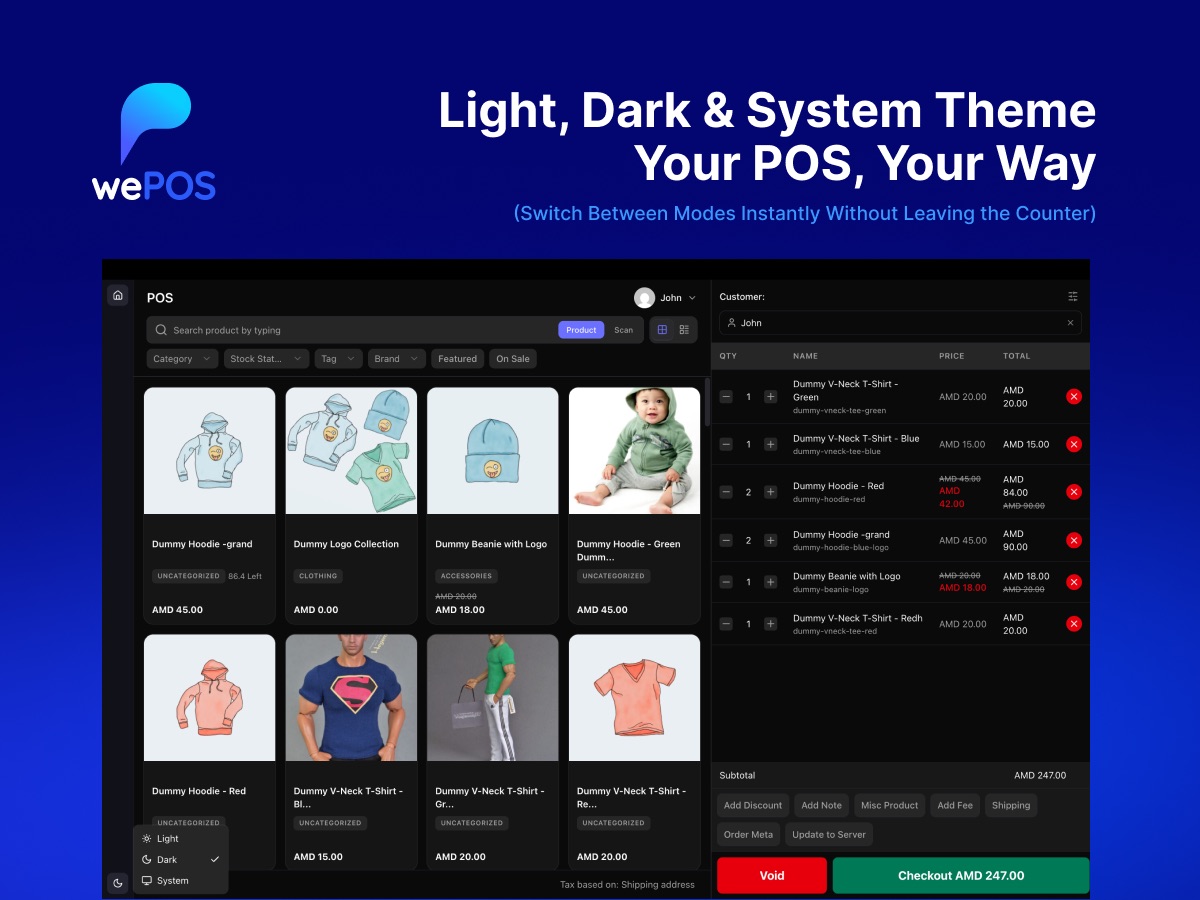 Light, Dark and System display modes, new in 2.0. Source: WordPress.org
How it moved on
- Feb 2019: first release on WordPress.org
- Jan 2025: 1.3.0, WordPress 6.7 compatibility; I joined as PM
- Jun 2025: 1.3.1 with refunds and HPOS support; React rebuild started
- Sep 2025: 1.3.2 and 1.3.3, search and extensibility updates
- Dec 2025: I moved on from wePOS
- Apr 2026: wePOS 2.0, rebuilt cashier and admin with Dokan per-vendor POS
- May 2026: 2.0.1, tax display fixes in the new cart
- Sep 2026: 2.0.2, tax-inclusive pricing fixes and a new Pro page; renamed “wePOS, Point Of Sale (POS) for WooCommerce & Dokan”
Links
- wePOS: official product page
- wePOS Pro pricing: Pro plans and features
- Documentation: setup guides for outlets, cashiers and receipts
- Using wePOS with Dokan: per-vendor POS setup
- wePOS on WordPress.org: the free plugin, screenshots and full changelog
- GitHub: getdokan/wepos: source code and releases
- React rebuild pull request: the 2.0 migration, opened June 2025
- Video tutorials: official wePOS playlist